
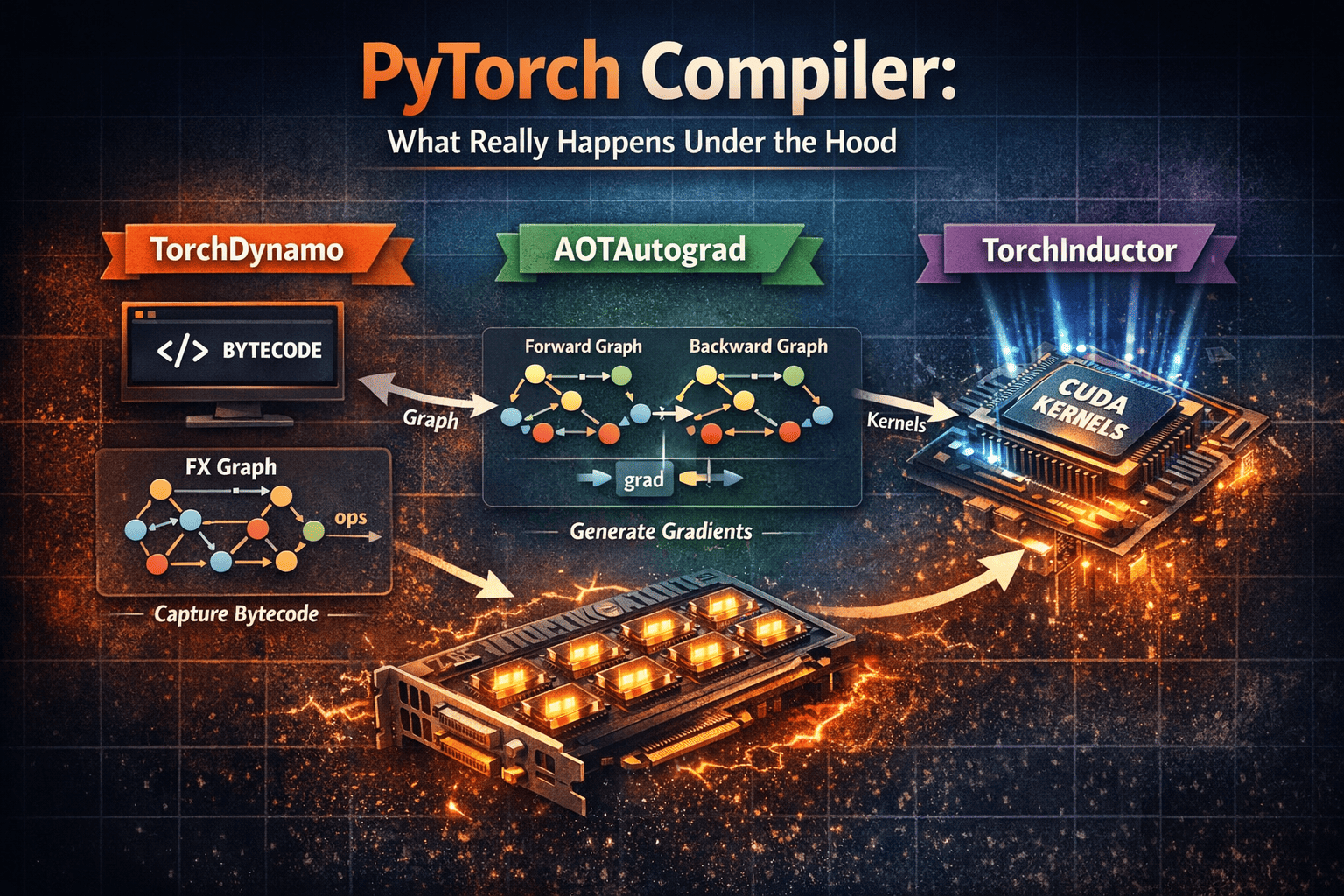
Today I feel like talking about a complex topic... and why you should care about what's under the hood
Look, I get it. If you’re mostly using the high-level PyTorch API to stack layers and call .train(), all this compiler talk might sound like moon-speak. But if you want to stop being a "black-box" dev and start understanding the magic, we need to talk about what's happening in the basement.
We all know deep learning models are born to run on GPUs. That’s where the speed comes from, thanks to Tensor Cores—those specialized little beasts inside the GPU that live for matrix multiplications. They are the reason Transformers don't take a century to train.
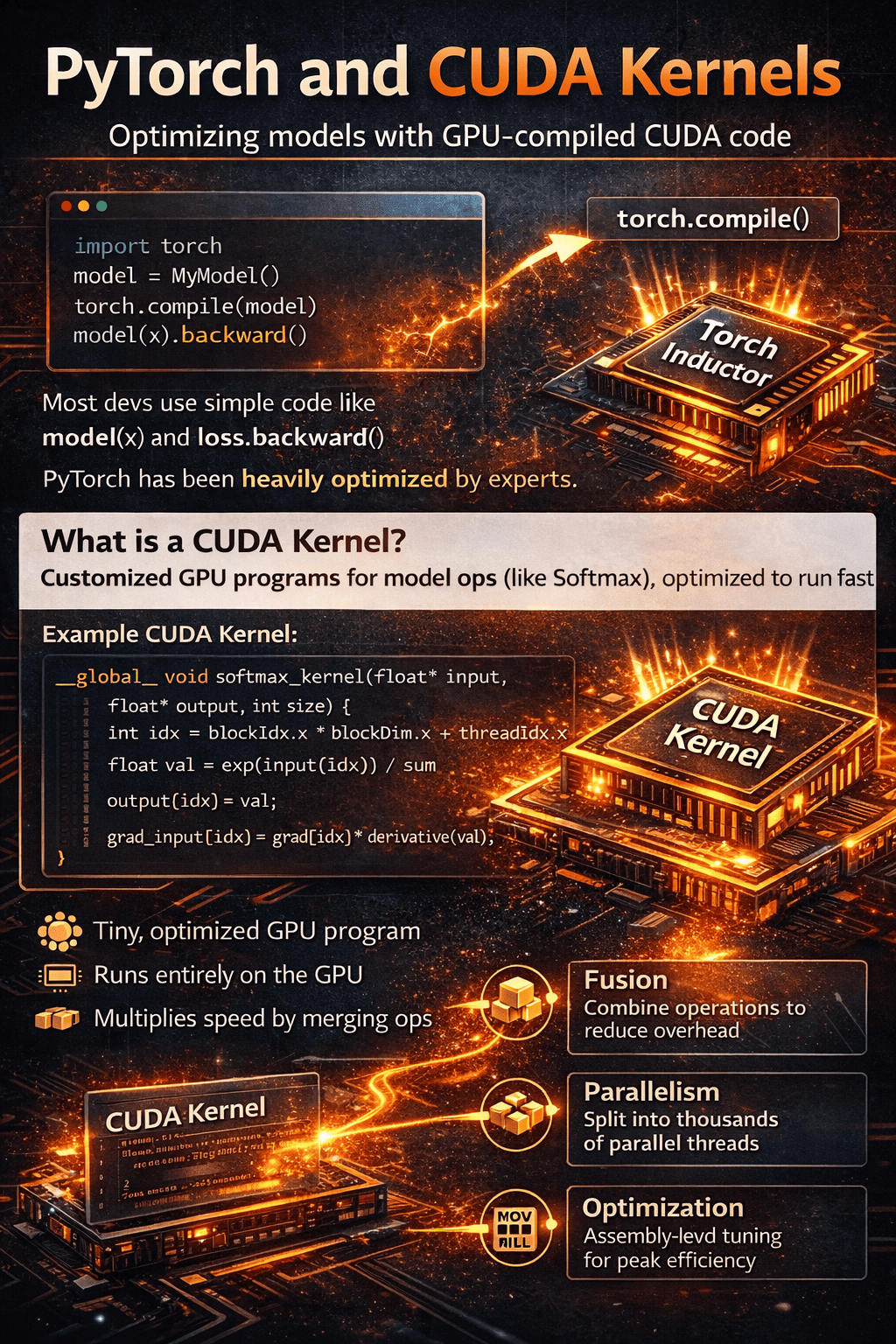
But to really make a GPU sweat, you need to speak its language: CUDA. CUDA is basically C++ on steroids for low-level hardware control. It handles the memory, the parallelization, the works.
When you use PyTorch, you don't see any of this, right? You're just chilling at the top level. Well, let's see how PyTorch bridges that gap.
PyTorch and CUDA kernels
The truth is, PyTorch has been optimized by absolute wizards.
About 90% of developers just use model(x) and loss.backward() without a second thought. Only the remaining 10% actually understand the low-level kernels and how to optimize them.
But here’s the game-changer: PyTorch introduced torch.compile().
This function talks directly to a component called TorchInductor. It analyzes your model's operation graph and actually writes the CUDA kernels (the files that tell the GPU how to do things like softmax or matmul) for you, optimizing them specifically for your hardware. It’s like having a senior NVIDIA engineer living inside your script.
PyTorch compiler
Let’s go a bit deeper into low-level compilation.
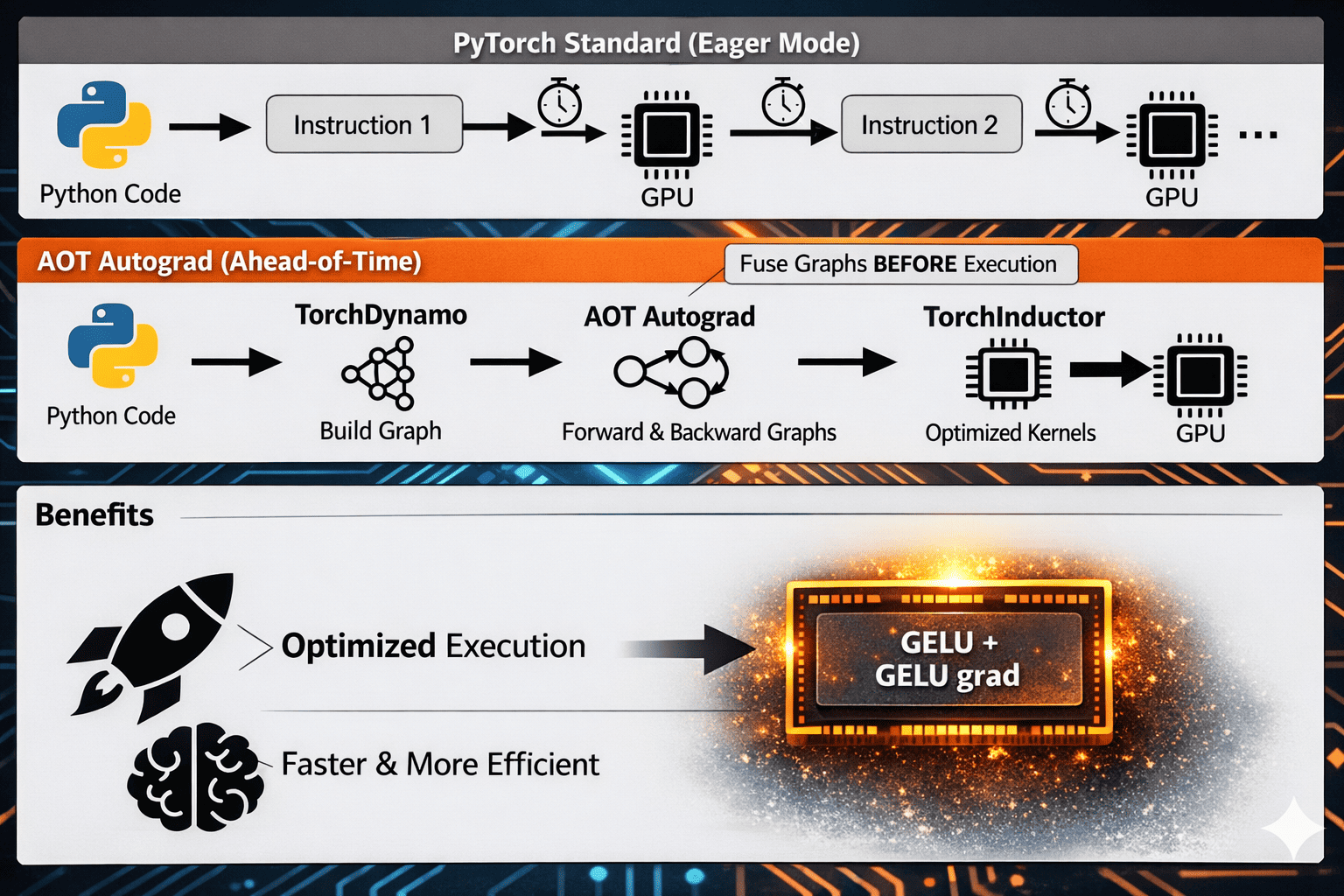
The final goal of compilation is simple: faster model execution.
It improves performance through better fusion, scheduling, and kernel generation.
If you’re just doing inference, frameworks like vLLM or Tensor-RT already have their own hand-optimized kernels. In those cases, torch.compile() might not give you a massive extra boost, as those tools are already specialists.
TorchDynamo
Dynamo takes your Python bytecode-level execution and starts analyzing tensor operations to build graphs.
At some points, it may hit complex logic, unsupported patterns, or external code paths and produce a graph break.
When that happens, Dynamo skips that region (falls back to eager there) and then starts building a new graph when it can continue safely.
Graph breaks are your enemy. When Dynamo hits one, it stops the graph, runs the weird part in slow Eager Mode, and then tries to start a new graph. This kills your performance gains. You want your graph to be as long and "unbroken" as possible.
The final output from Dynamo is the FX Graph. This representation is then passed to AOT Autograd (Ahead-of-Time Autograd).
I won't dive too deep into AOT today, but basically, it generates a joint Forward and Backward graph.
This enables fusion: instead of launching separate kernels and repeatedly reading/writing intermediate tensors to global memory, PyTorch can combine work into fewer, larger kernels.
For example, take an elementwise activation like GELU.
In the forward pass (compute the model output from inputs), the kernel applies GELU to each element and produces activations.
In the backward pass (compute gradients of the loss with respect to earlier tensors), the kernel uses those values to compute for each element.
With compilation, the forward/backward elementwise logic can be scheduled as a tightly connected fused path (and in many cases reduced to a minimal set of kernels), so data stays on-chip longer, memory traffic drops, and the handoff from forward to backward is much more efficient than in eager mode.
PrimTorch
Alright, here’s a piece I didn’t mention before—and it’s an important one.
Before we even reach TorchInductor, there is another critical step in the pipeline.
A step whose entire job is to simplify PyTorch itself.
Because here’s the reality:
The full PyTorch API contains thousands of tensor operations (well over 2,000).
Trying to generate optimized kernels directly from that huge surface area would be a nightmare for any compiler backend.
But something interesting happens under the hood.
All those high-level ops can actually be decomposed into a much smaller set of primitive tensor operations.
Roughly speaking:
~2000+ high-level ops
↓ decompose into
~250 primitive ops
And by combining those primitives, you can reconstruct essentially the entire PyTorch operator space.
So what does PrimTorch do?
PrimTorch performs this decomposition step.
It rewrites complex ATen operations into a standardized set of low-level primitives that are:
Easier to reason about
Easier to optimize
Easier to compile into kernels
This dramatically simplifies the job of compiler backends like TorchInductor.
Instead of needing to support thousands of different operators,
Inductor only needs to generate highly optimized code for a small primitive core.
That reduction in complexity is a huge deal for performance engineering.
Once everything is expressed in primitives, fusion, scheduling, and memory planning become much easier.
And that directly translates into:
Fewer kernels
Better fusion
Lower memory traffic
Faster training

TorchInductor
We finally arrive at the last component—the compiler that actually generates optimized kernels for your hardware using all the information produced by the previous stages.
After TorchDynamo captures graphs, AOTAutograd stages forward and backward, and PrimTorch reduces everything to a small primitive core, TorchInductor is the system that turns those graphs into fast executable code.
The default GPU backend: Triton
In most GPU cases, TorchInductor targets Triton.
Triton is a domain-specific language (DSL) for writing high-performance GPU kernels, originally developed at OpenAI and now widely used inside the PyTorch compiler stack.
Instead of writing low-level CUDA C++ manually, Triton lets the compiler generate:
Fused kernels
Efficient memory access patterns
Hardware-aware parallel execution
All from the high-level graph representation.
There are other compilation paths in the broader ecosystem (like XLA in different runtimes), but TorchInductor’s primary modern GPU path is Triton.
Will Inductor beat hand-written CUDA?
In the majority of real workloads, yes.
Unless you are extremely specialized in GPU kernel optimization, TorchInductor will usually generate code that is:
More fused (fewer separate kernels because multiple operations are combined into a single GPU kernel)
Better scheduled (work is arranged to maximize parallel execution and keep GPU cores busy with minimal idle time)
More memory-efficient (less data movement to global memory and better reuse of fast on-chip memory like registers and shared memory)
than what most humans would write by hand.
That’s one of the biggest paradigm shifts of PyTorch 2: the compiler becomes the performance engineer.
There are still cases where you may need manual kernels:
very unusual layers
novel research ops
custom memory layouts
operations not yet well optimized by the compiler
PyTorch allows you to:
write custom Triton kernels
plug them into your model
still benefit from the surrounding compiler optimizations
So you don’t lose flexibility—you just gain automation where possible.
Triton autotuning and hardware-specific optimization
Another key detail:
TorchInductor leverages Triton’s autotuner.
This means it will try multiple kernel configurations, such as:
Tiling strategies
Block sizes
Parallelization parameters
Memory layouts
to discover the fastest version for your exact GPU architecture.
Because of this search process:
The first run is slower (it benchmarks configurations)
Later runs are much faster because the compiled kernels and best configuration are cached and reused.
This is why torch.compile() often shows a warm-up cost followed by significant speedups.
In the next code block, we’ll write a fused Triton kernel, attach it to PyTorch using the modern dispatcher APIs, and execute it through torch.compile as part of the compiled graph.
"""
Custom Triton kernel attached to PyTorch using the modern torch.library Triton APIs.

This example shows:

1) Writing a fused Triton kernel (add + ReLU).
2) Registering it with:
      - torch.library.triton_op
      - torch.library.triton_wrap
   so TorchDynamo and TorchInductor understand it.
3) Running it inside torch.compile with different optimization modes.
4) Explaining Triton autotuning and why the first run is slower.

This is the **modern, compiler-friendly** way to integrate custom GPU kernels in PyTorch 2.x.
"""

import torch
import triton
import triton.language as tl
from torch.library import triton_op, triton_wrap


# ============================================================
# 1) Triton kernel with autotuning
# ============================================================

"""
Operation:
    y = relu(x + b)

Why fuse?
- Avoid intermediate tensor writes to global memory
- Reduce kernel launches
- Increase arithmetic intensity
"""

@triton.autotune(
    configs=[
        triton.Config({"BLOCK": 1024}, num_warps=4, num_stages=2),
        triton.Config({"BLOCK": 2048}, num_warps=8, num_stages=3),
        triton.Config({"BLOCK": 4096}, num_warps=8, num_stages=4),
    ],
    """
    key defines when Triton should retune.

    Here we retune for different problem sizes N.
    """
    key=["N"],
)
@triton.jit
def add_relu_kernel(X_ptr, B_ptr, Y_ptr, N: tl.constexpr, BLOCK: tl.constexpr):
    pid = tl.program_id(0)
    offsets = pid * BLOCK + tl.arange(0, BLOCK)
    mask = offsets < N

    x = tl.load(X_ptr + offsets, mask=mask, other=0.0)
    b = tl.load(B_ptr + offsets, mask=mask, other=0.0)

    y = x + b
    y = tl.maximum(y, 0.0)

    tl.store(Y_ptr + offsets, y, mask=mask)


# ============================================================
# 2) Define a Triton op visible to PyTorch compiler
# ============================================================

"""
triton_op:
Creates a dispatcher-visible operator that Dynamo/Inductor can capture
WITHOUT causing graph breaks.
"""

@triton_op("myops::add_relu")
def add_relu(x: torch.Tensor, b: torch.Tensor) -> torch.Tensor:
    return torch.empty_like(x)


"""
triton_wrap:
Attaches the Triton kernel implementation that Inductor will call.
This is the key step that makes the op compile-friendly.
"""

@triton_wrap(add_relu)
def add_relu_impl(x: torch.Tensor, b: torch.Tensor):

    assert x.is_cuda and b.is_cuda
    assert x.numel() == b.numel()
    assert x.is_contiguous() and b.is_contiguous()

    y = torch.empty_like(x)
    N = x.numel()

    grid = (triton.cdiv(N, 1024),)

    add_relu_kernel[grid](x, b, y, N=N)
    return y


# ============================================================
# 3) Using the custom Triton op with torch.compile
# ============================================================

"""
torch.compile modes overview:

"default"
    Balanced compile time vs performance.

"reduce-overhead"
    Minimizes Python/dispatch overhead.
    Useful for small workloads or latency-sensitive inference.

"max-autotune"
    Enables more aggressive Triton autotuning and scheduling search.
    Higher first-run cost, but often best throughput.

"max-autotune-no-cudagraphs"
    Same as above but disables CUDA Graph capture.
    Useful for dynamic shapes or debugging.
"""

def make_compiled(mode: str):

    @torch.compile(mode=mode)
    def f(x, b):
        return add_relu(x, b)

    return f


# ============================================================
# 4) Run + show warmup vs cached execution
# ============================================================

if __name__ == "__main__":

    x = torch.randn(2_000_000, device="cuda", dtype=torch.float16)
    b = torch.randn(2_000_000, device="cuda", dtype=torch.float16)

    for mode in ["default", "reduce-overhead", "max-autotune", "max-autotune-no-cudagraphs"]:

        f = make_compiled(mode)

        """
        First call:
        - Graph capture (Dynamo)
        - Kernel generation (Inductor + Triton)
        - Autotuning benchmark
        => slower

        Next calls:
        - Compiled kernels reused from cache
        => fast
        """
        y1 = f(x, b)
        torch.cuda.synchronize()

        y2 = f(x, b)
        torch.cuda.synchronize()

    # correctness check
    ref = torch.relu(x + b)
    out = add_relu(x, b)
    print("max error:", (ref - out).abs().max().item())


"""
Key takeaway:

Using torch.library.triton_op + triton_wrap is the clean way to:

- integrate custom Triton kernels
- avoid graph breaks
- let TorchInductor schedule and optimize around them
- keep full compatibility with torch.compile
"""